
Ghostli Icon
Private AI for DevelopersDevelopers

Turn ideas into working code with your private AI assistant. Everything you need to build, all in one place.

Explore features
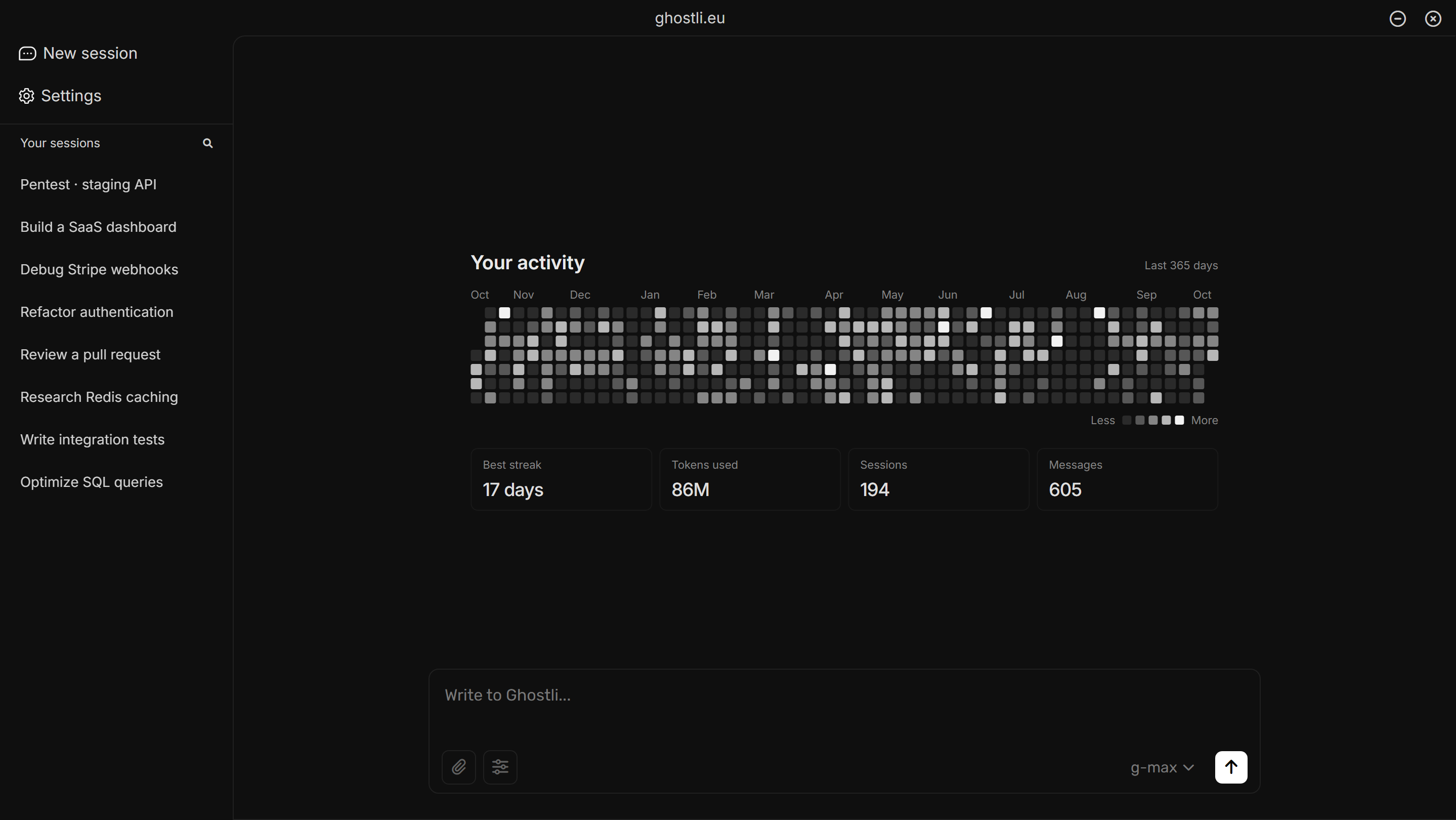
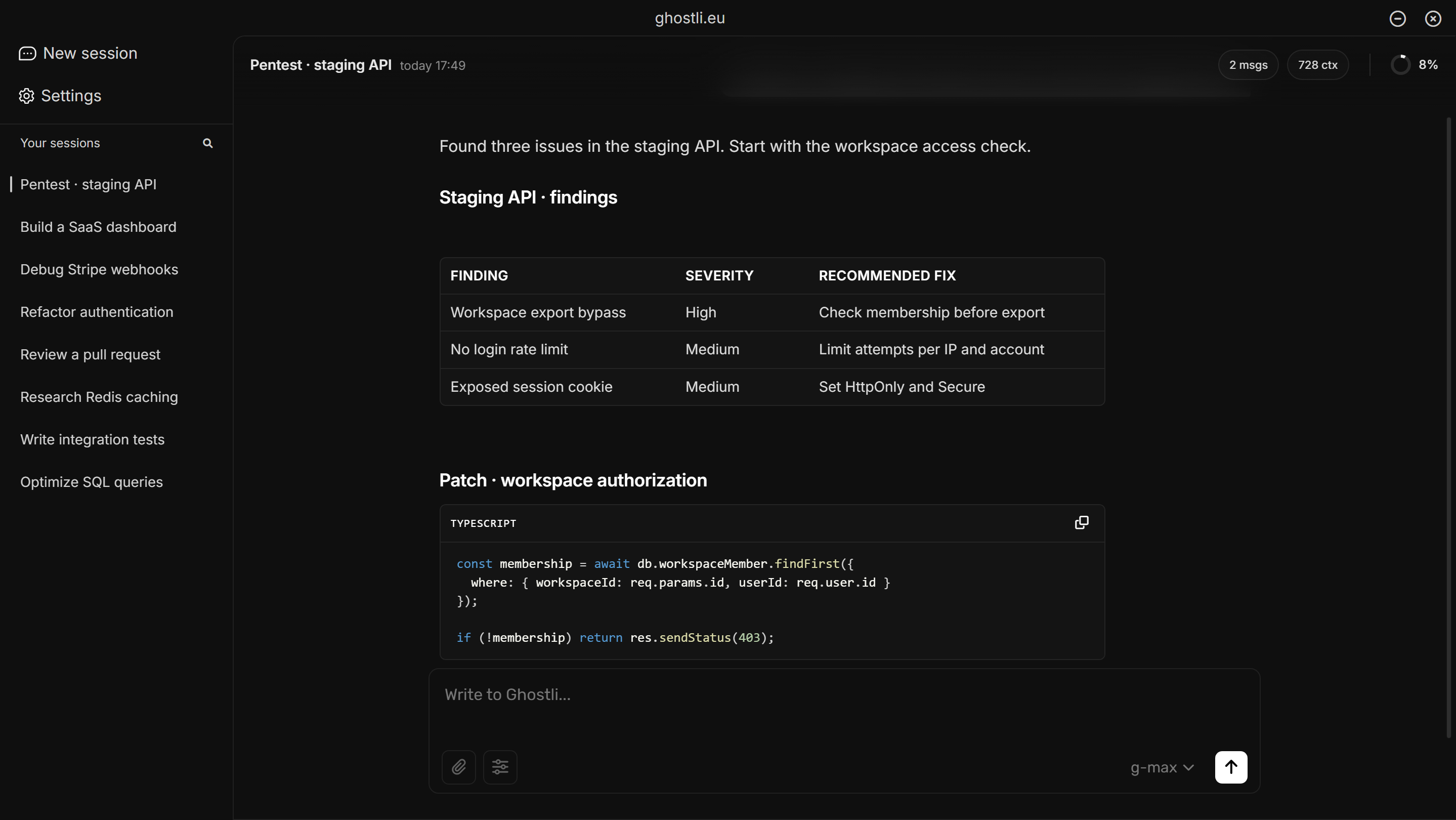
Ghostli demo workspace with activity history and development sessions Ghostli demo security review with findings and an authorization fix

Build more with Ghostli.

Example: Ghostli identifies a missing membership check and streams a code fix that returns 403 for unauthorized users.

Find the bug. See the fix.

Ask a question and work through the answer as it arrives. Get explanations and code that help you take the next step.

Example Live Code workflow: read the webhook handler, add signature verification, and run regression tests.

Build it. Test it. Keep moving.

Let Live Code read, edit, and test files in your selected workspace, with each step visible as it happens.

Illustrative pentest of a staging application, with route inspection, local checks, and an Agents panel showing parallel security review tasks.

Turn security questions into actionable findings.

Review your own applications with project context and Live Code. Investigate access control, verify issues, and work through concrete fixes.

Built for every
developer.

Frontend development

Build components, refine layouts, and work through browser-side bugs.

Backend development

Connect routes, services, and databases with your project in context.

Pentesting

Investigate your application’s attack surface and work through verified findings.

Debugging

Trace errors through your code and terminal output, then test the fix.

Research

Gather sources and technical context before committing to an approach.

Code review

Understand a diff, spot edge cases, and improve the code before it ships.

Choose your plan.

Your work.
Your workspace.

How Ghostli handles your data

Local encryption.

Saved conversations and settings stay encrypted on your device, protected by your password.

Token access.

Open Ghostli with your token and get to work, without creating a traditional account.

Context you choose.

Select the workspace you want help with and enable terminal access when your task needs it.

Frequently asked
questions.

Ghostli is a privacy-first AI assistant built for developers. It uses token-based access, local encrypted storage for app data, and a desktop workflow with Live Code, Repository Context, terminal integration, and CBE research tools.
You sign in with an 8-digit access token instead of creating a traditional username/password account. The token is checked against hashed server records, and device state is tracked so plan limits and simultaneous-device rules can work.
The desktop app encrypts saved Ghostli app data locally with Web Crypto and a password-derived key. This protects stored sessions and settings on your device. Requests that you send to AI providers still have to be processed as AI requests, so the landing page does not promise that servers never process message content.
Ghostli offers multiple model choices in the client: G-Basic, G-Max, and Grok. Live Code and workspace modes use G-Agent behavior for tool-based code work.
Tokens are the unit used to estimate and limit AI usage. Basic includes 120,000 tokens per day, Pro includes 300,000 tokens per day, Unlimited includes 1,000,000 tokens per day, and the Free plan includes 30,000 tokens per day.
The current desktop app is built with Electron and includes Windows/Linux-oriented shell support in the codebase. Android/mobile work exists separately, but this landing page focuses on the desktop developer workflow.
Yes. Your code is safe and never tied to your identity: you sign in with a token, not an account, and Ghostli only sees files you choose to share through Live Code or Repository Context. Just use good habits, like avoiding pasting API keys or passwords into your prompts.
Paid plans are shown as monthly access plans. Token delivery and payment status depend on the checkout flow and payment provider used for the purchase.

Built for Control

Local encrypted app data. Token access. Workspace context only when you choose it.

Get started